Ultimate Guide: Best Slicer Settings for Flexible TPU Printing (Reduce Stringing & Improve Quality)
Introduction
Flexible TPU filament presents unique challenges that demand precise slicer configuration. This guide explains the essential parameters that influence stringing, layer adhesion, and surface finish. Readers will learn how to adjust temperature, retraction, speed, and cooling to achieve reliable results. In addition, the guide highlights five highly regarded TPU products available on Amazon that complement the recommended settings.
Background and Context
Thermoplastic polyurethane (TPU) combines rubber‑like elasticity with the ease of extrusion, making it popular for functional prototypes and wearable parts. Unlike rigid filaments, TPU exhibits high viscosity and a tendency to ooze when the nozzle moves without extrusion. Understanding these material characteristics is a prerequisite for selecting slicer values that mitigate stringing and improve dimensional accuracy. The following sections build upon this foundation to provide a systematic approach to TPU slicing.
Understanding TPU Material Properties
TPU is classified by Shore hardness; the filaments featured in this guide are all 95A, indicating a balance between flexibility and strength. The SUNLU TPU Filament advertises dimensional accuracy of ±0.03 mm, which aids in achieving tight tolerances. Similarly, OVERTURE TPU Filament emphasizes high elasticity and durability, traits that influence optimal print speed. Geeetech TPU Filament offers a clear blue variant, useful for visual inspection of over‑extrusion. ELEGOO TPU Filament is marketed for its soft feel, while Creality TPU Filament stresses dimensional accuracy and resilience. Recognizing these nuances helps the slicer operator select temperature and flow rates that respect each brand’s formulation.
Key Slicer Parameters for Flexible Filament
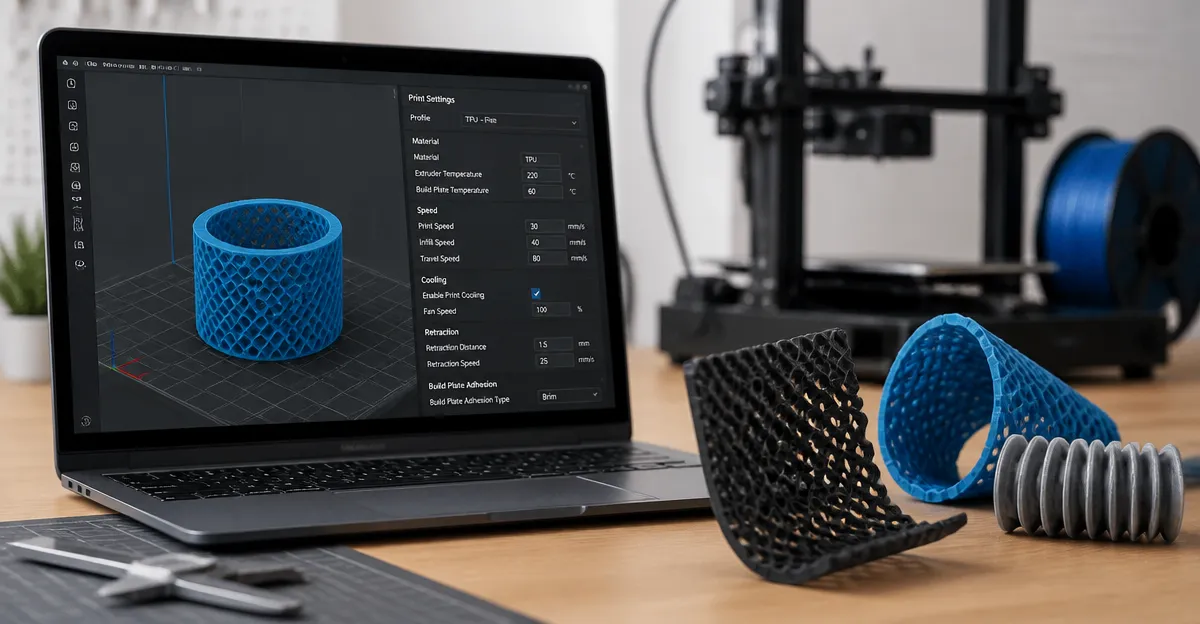
The slicer translates 3D geometry into motion commands; for TPU, six parameters dominate print quality. These include nozzle temperature, bed temperature, retraction distance, retraction speed, print speed, and cooling fan settings. Adjusting each parameter in isolation rarely yields optimal results; instead, a balanced combination is required. The table below summarizes recommended starting values for the five featured TPU filaments.
| Parameter | SUNLU | OVERTURE | Geeetech | ELEGOO | Creality |
|---|---|---|---|---|---|
| Nozzle Temp (°C) | 225‑235 | 220‑230 | 225‑235 | 220‑230 | 225‑235 |
| Bed Temp (°C) | 50‑60 | 45‑55 | 50‑60 | 45‑55 | 50‑60 |
| Retraction Dist (mm) | 1.0‑1.5 | 0.8‑1.2 | 1.0‑1.5 | 0.8‑1.2 | 1.0‑1.5 |
| Retraction Speed (mm/s) | 20‑30 | 15‑25 | 20‑30 | 15‑25 | 20‑30 |
| Print Speed (mm/s) | 30‑45 | 35‑50 | 30‑45 | 35‑50 | 30‑45 |
| Cooling Fan (%) | 30‑50 | 20‑40 | 30‑50 | 20‑40 | 30‑50 |
These values serve as a baseline; fine‑tuning should be performed on a small calibration cube before committing to larger parts.
Temperature Management
Nozzle temperature directly affects TPU viscosity; too low a temperature causes under‑extrusion, while excessive heat promotes stringing. For the 95A filaments listed, a range of 220‑235 °C provides a stable melt without degrading the polymer. Bed temperature assists in first‑layer adhesion; a heated bed set between 45‑60 °C prevents warping while avoiding excessive softness that could cause the filament to curl. When using SUNLU TPU Filament, users have reported consistent adhesion at 55 °C, making it a reliable starting point.
Retraction Settings
Retraction is the primary mechanism for reducing stringing, yet flexible filaments are prone to filament buckling inside the Bowden tube. Short retraction distances of 0.8‑1.5 mm combined with modest speeds of 15‑30 mm/s minimize the chance of filament grinding. Direct‑drive extruders benefit from slightly longer retractions, whereas Bowden setups should stay at the lower end of the range. The OVERTURE TPU Filament is known for its high elasticity, which tolerates the recommended 1.0 mm retraction without excessive oozing.
Print Speed and Acceleration
Flexible TPU requires slower print speeds to allow the filament to flow smoothly around bends. Recommended speeds of 30‑50 mm/s strike a balance between productivity and surface quality. Acceleration and jerk settings should be reduced by 50 % of the printer’s default values to prevent sudden direction changes that can cause layer separation. When printing with Geeetech TPU Filament, users have observed that a 40 mm/s speed with 500 mm/s² acceleration yields clean edges on intricate geometry.
Cooling and Layer Height
Cooling fans must be used judiciously; excessive cooling can solidify TPU before it adheres to the previous layer, leading to delamination. A fan setting of 30‑50 % provides sufficient cooling to solidify bridges while preserving inter‑layer bonding. Layer height should be set to 0.1‑0.2 mm for a 1.75 mm filament, ensuring that each layer is thin enough to maintain flexibility but thick enough to avoid excessive print time. The ELEGOO TPU Filament performs well at a 0.15 mm layer height, delivering smooth surfaces on functional prototypes.
Comparison and Selection Guide
Choosing the appropriate TPU filament depends on color preference, brand reputation, and specific mechanical requirements. The table below compares the five featured products across key criteria.
| Product | Color | Spool Weight | Dimensional Accuracy | Special Feature |
|---|---|---|---|---|
| SUNLU TPU Filament | Black | 1 kg | ±0.03 mm | High speed formulation |
| OVERTURE TPU Filament | Black | 1 kg | ±0.03 mm | Enhanced elasticity |
| Geeetech TPU Filament | Clear Blue | 1 kg | ±0.03 mm | Transparent for visual inspection |
| ELEGOO TPU Filament | Black | 1 kg | ±0.03 mm | Soft‑touch finish |
| Creality TPU Filament | Black | 1 kg | ±0.03 mm | Official brand filament |
For users who prioritize rapid prototyping, SUNLU and Creality provide reliable high‑speed performance. Designers seeking visual clarity should consider Geeetech’s clear blue variant. OVERTURE and ELEGOO excel in applications that demand extra elasticity and a soft tactile response.
Best Practices & Tips
- Store TPU filament in a dry‑box or sealed bag with desiccant; moisture absorption leads to bubbling and poor surface finish.
- Perform a filament flow test before each major print; adjust the extrusion multiplier by ±2 % based on measured width.
- Use a direct‑drive extruder when possible; it reduces filament compression and improves retraction reliability.
- Enable "Z‑hop" on travel moves to prevent the nozzle from dragging across soft walls, which can cause scratches.
- Print a small stringing test (e.g., two towers) after any slicer change to verify that retraction and temperature settings are optimal.
Frequently Asked Questions
- Why does TPU string even with retraction enabled?
- Flexible filament tends to ooze because its high elasticity allows it to continue flowing after the nozzle stops extruding. Reducing temperature and shortening retraction distance often mitigates this behavior.
- Can I use TPU on a printer with a Bowden extruder?
- Yes, but it requires careful tuning of retraction and print speed. A Bowden tube of short length and a larger nozzle (0.4 mm or greater) improve filament feeding.
- Is a heated bed necessary for TPU?
- A heated bed is recommended to ensure first‑layer adhesion and to prevent warping, especially for larger prints. A temperature of 50 °C is sufficient for most 95A filaments.
- What layer height yields the best flexibility?
- Layer heights between 0.1 mm and 0.2 mm provide a good compromise; thinner layers increase flexibility but also increase print time.
- How do I prevent layer splitting on flexible prints?
- Reduce acceleration and jerk settings, maintain consistent extrusion temperature, and avoid rapid direction changes that stress the filament.
Conclusion
Optimizing slicer settings for flexible TPU filament requires an understanding of material behavior, precise temperature control, and moderated motion parameters. By applying the recommended temperature ranges, retraction distances, and speed limits, users can dramatically reduce stringing and improve overall print quality. The five Amazon‑listed TPU filaments each bring distinct advantages, enabling creators to select the product that aligns with their functional and aesthetic goals. With these guidelines, one can confidently produce durable, high‑quality flexible parts for a wide array of applications.
Products Featured in This Guide
SUNLU TPU Filament
Price: Not listed | Rating: Not listed
Featured because it offers high speed formulation and tight dimensional accuracy, making it ideal for rapid prototyping.
OVERTURE TPU Filament
Price: Not listed | Rating: Not listed
Featured for its high elasticity and durability, which complement the recommended low retraction settings.
Geeetech TPU Filament
Price: Not listed | Rating: Not listed
Featured because the clear blue color aids visual inspection of over‑extrusion and stringing during calibration.
ELEGOO TPU Filament
Price: Not listed | Rating: Not listed
Featured for its soft‑touch finish, which is advantageous for wearable and ergonomic components.
Creality TPU Filament
Price: Not listed | Rating: Not listed
Featured as the official Creality brand, offering reliable performance and consistent dimensional accuracy.