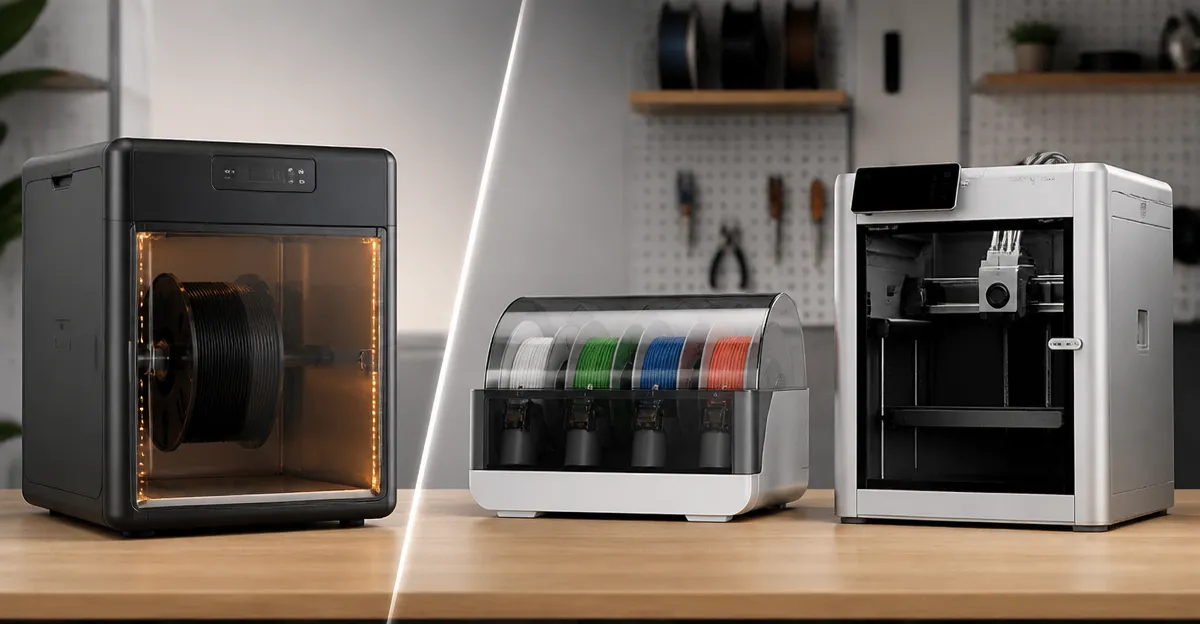
Introduction
The rapid growth of desktop additive manufacturing has produced a diverse ecosystem of printers, filament management systems, and auxiliary heating devices. For makers who demand consistent material quality, multi‑color capability, and a tidy workspace, selecting the right combination of hardware is essential. This article compares five Amazon‑available products that address these needs: SUNLU AMS Heater, Bambu Lab P1S Combo, YOOPAI Dual AMS Rack, Bambu Lab A1 Mini Combo, and Bambu Lab AMS. By examining price, features, customer sentiment, and real‑world performance, readers can determine which solution aligns with their budget, workspace constraints, and printing objectives.
Individual Product Overviews
SUNLU AMS Heater
The SUNLU AMS Heater is a drop‑in replacement for the original top cover of the Bambu Lab AMS Gen 1. Priced at $79.99, it reaches 70 °C in 20 minutes and can dry all four spools simultaneously. Key innovations include a unique air‑duct that isolates heat from the feeding motor and a triple‑safe heating system that combines a PTC heater, metal‑roller fan, and secondary thermal cutoff. Installation requires only three steps and no permanent modifications. Positive customer feedback highlights the convenience of drying filament while printing, with one reviewer noting, “It works while you’re printing, so there is no downtime waiting for filament to dry.” The primary criticism concerns the vent size, which some users feel could be larger.
Bambu Lab P1S Combo
The Bambu Lab P1S Combo bundles the P1S 3D printer with an Automatic Material System (AMS) for multi‑color printing. At $479.00 it promises up to 16‑color capability, 500 mm/s print speed, and an enclosed design that stabilises advanced filaments. Features such as automatic bed leveling and a 15‑minute setup process aim to make high‑performance printing accessible to beginners. Reviewers praise the ease of use and print quality, with one stating, “The printer is easy to use, even for beginners…The print quality is great.” However, several customers report software and screen usability issues, describing the interface as “clunky” and the screen as “pitiful.”
YOOPAI Dual AMS Rack
Designed as a space‑saving stand, the YOOPAI Dual AMS Rack accommodates two AMS or ACE units side‑by‑side. For $36.09 it offers a steel frame capable of supporting up to 8 kg per shelf and a pull‑out drawer for easy filament access. The rack is compatible with Bambu Lab AMS, Anycubic ACE, Creality Space X4, and even the SUNLU AMS Heater. Positive reviewers commend its reasonable price and solid construction, while negative feedback points to occasional breakage of the back brace and instability during printing.
Bambu Lab A1 Mini Combo
The A1 Mini Combo pairs the compact A1 Mini printer with an AMS‑lite module for multi‑color capability. Priced at $309.00, the printer delivers 10,000 mm/s² acceleration, quiet operation (≤48 dB), and a one‑click auto‑calibration system. Users appreciate its small footprint and quietness; one reviewer wrote, “For such a small footprint, this 3D printer delivers exceptional print quality, speed, and reliability.” Conversely, durability concerns arise from repeated filament‑breakage incidents, leading some owners to experience frequent service calls.
Bambu Lab AMS
The standalone Bambu Lab AMS costs $229.00 and provides four filament slots, RFID‑based filament identification, and automatic spool switching. It claims to support up to 16‑color printing when four units are linked via an AMS hub. Reviewers note that the device works well for those who already own a compatible printer, yet a minority report error messages, filament retraction failures, and compatibility challenges with non‑Bambu filaments.
Head‑to‑Head Comparison
Price and Value
- SUNLU AMS Heater – $79.99; low‑cost upgrade that adds drying capability to existing AMS Gen 1.
- YOOPAI Dual AMS Rack – $36.09; the most affordable workspace solution, but limited to structural support.
- Bambu Lab AMS – $229.00; mid‑range price for a full filament‑management system without a printer.
- Bambu Lab A1 Mini Combo – $309.00; offers a complete printer‑plus‑lite‑AMS package at a moderate price.
- Bambu Lab P1S Combo – $479.00; the highest price, reflecting a premium printer, full‑size AMS, and high‑speed capabilities.
Features and Specifications
| Product | Core Function | Print Speed / Acceleration | Spool Capacity | Drying Capability | Compatibility |
|---|---|---|---|---|---|
| SUNLU AMS Heater | Heater add‑on for AMS Gen 1 | N/A | 4 spools (integrated) | Reaches 70 °C in 20 min, dries while printing | Bambu Lab AMS Gen 1 only |
| Bambu Lab P1S Combo | Full‑size printer + AMS | 500 mm/s, 20,000 mm/s² | 4 spools (AMS) | No dedicated dryer, relies on AMS temperature | All Bambu Lab filaments, optional upgrades |
| YOOPAI Dual AMS Rack | Vertical rack for two AMS/ACE units | N/A | 2 × 4‑spool units | N/A (drying depends on attached AMS) | Bambu Lab, Anycubic, Creality, SUNLU |
| Bambu Lab A1 Mini Combo | Compact printer + AMS‑lite | 10,000 mm/s² | 4 spools (AMS‑lite) | AMS‑lite provides limited drying | Standard Bambu Lab filaments |
| Bambu Lab AMS | Standalone filament manager | N/A | 4 spools | Passive drying via heated chamber | Compatible with Bambu Lab printers |
Customer Ratings and Feedback
Average ratings range from 3.8 to 4.3 stars. The SUNLU AMS Heater enjoys the highest rating (4.3/5) based on 140 reviews, with praise for its “no‑downtime” drying. The P1S Combo holds a solid 4.2/5 from 1,068 reviewers, yet its negative comments focus on software complexity. The YOOPAI Rack, while inexpensive, receives 4.1/5 but suffers occasional durability complaints. The A1 Mini Combo also rates 4.1/5; users love its quiet operation but some experience filament‑breakage failures. The standalone Bambu Lab AMS scores the lowest at 3.8/5, with mixed experiences regarding error messages and filament compatibility.
Performance and Reliability
Reliability appears strongest for the SUNLU Heater, which functions continuously during prints without requiring separate power. The P1S printer’s high speed is impressive, yet several users report firmware and screen issues that affect long‑term reliability. The YOOPAI rack’s steel frame is sturdy, but a subset of reviewers observed breakage under load. The A1 Mini’s rapid acceleration and low noise are commendable, but repeated filament breakage reduces overall uptime. The Bambu Lab AMS’s RFID and automatic spool change are innovative, yet some owners encounter “filament can’t retract” errors that halt prints.
Size, Power, Compatibility
- SUNLU Heater – Compact add‑on; requires 12 V power from AMS; fits only Gen 1.
- YOOPAI Rack – Footprint roughly 30 cm × 20 cm; no power requirement; compatible with multiple AMS brands.
- Bambu Lab AMS – Boxed unit about 25 cm × 20 cm × 10 cm; draws modest power for heating; works with Bambu Lab printers.
- Bambu Lab A1 Mini Combo – Small printer (210 mm × 210 mm build); low power consumption; AMS‑lite integration required.
- Bambu Lab P1S Combo – Larger enclosure (300 mm × 300 mm); higher power draw for fast printing and heated chamber; requires full‑size AMS.
Pros & Cons
SUNLU AMS Heater
- Pros: Low price, simultaneous drying, easy drop‑in installation, triple‑safe heating.
- Cons: Vent size could be larger, limited to AMS Gen 1, no standalone dryer.
Bambu Lab P1S Combo
- Pros: Very fast printing, up to 16‑color capability, enclosed design for advanced filaments, auto‑bed leveling.
- Cons: Software UI considered clunky, screen quality low, occasional hardware errors.
YOOPAI Dual AMS Rack
- Pros: Extremely affordable, steel construction, compatible with many brands, saves workspace.
- Cons: Some units experience brace breakage, can vibrate during printing.
Bambu Lab A1 Mini Combo
- Pros: Compact, quiet (≤48 dB), auto‑calibration, good for beginners.
- Cons: Filament breakage issues reported, AMS‑lite provides limited drying.
Bambu Lab AMS
- Pros: RFID filament detection, automatic spool switching, supports up to 16 colors when networked.
- Cons: Lower overall rating, error messages with non‑Bambu filaments, occasional bed‑adhesion problems.
Recommendations
Best for limited workspace: The YOOPAI Dual AMS Rack occupies minimal floor area while supporting two filament systems, making it ideal for small workshops.
Best for budget‑conscious users who already own an AMS Gen 1: The SUNLU AMS Heater adds drying capability for under $80, eliminating the need for a separate dryer.
Best for high‑speed, multi‑color production: The Bambu Lab P1S Combo provides the fastest print speeds and full AMS integration, suitable for professional prototyping.
Best for quiet, entry‑level printing with modest multi‑color needs: The Bambu Lab A1 Mini Combo offers a small footprint, low noise, and automatic calibration, perfect for home offices or classrooms.
Best for advanced filament management without a new printer: The Bambu Lab AMS delivers RFID tracking and automatic spool changes for users who already possess a compatible Bambu printer.
FAQ
- Can the SUNLU AMS Heater be used with the Bambu Lab P1S printer? It is compatible only with AMS Gen 1; the P1S includes a newer AMS that already contains drying functionality, so the heater is unnecessary.
- Does the YOOPAI Dual AMS Rack require any tools for assembly? The rack is designed for quick assembly with pre‑aligned mounting points; a screwdriver and the supplied hex wrench are sufficient.
- Is the Bambu Lab A1 Mini Combo capable of printing flexible TPU? Yes; the printer supports TPU, PETG, PLA, and other standard materials, though users should ensure proper filament tension to avoid breakage.
- How does the Bambu Lab AMS detect filament type? An integrated RFID chip reads the filament spool’s tag, allowing the system to automatically apply the correct temperature and flow settings.
- What warranty coverage do these products offer? Amazon listings typically include a one‑year manufacturer warranty; buyers should verify the specific terms on the product page.
- Can the P1S printer’s speed be reduced for higher detail? Yes; the slicer software permits adjustment of print speed and acceleration to balance quality and time.
- Is additional cooling required for the SUNLU Heater’s vent? Users have suggested adding a small fan to actively exhaust warm, moist air, though the heater functions adequately without it.
Conclusion
When evaluating filament drying, multi‑color capability, and workspace efficiency, each product addresses a distinct segment of the market. The SUNLU AMS Heater delivers the most cost‑effective drying solution for existing AMS Gen 1 owners. The Bambu Lab P1S Combo stands out for high‑speed, professional‑grade printing but demands a higher investment and tolerates software quirks. The YOOPAI Dual AMS Rack provides an economical method to organise multiple filament systems, while the A1 Mini Combo balances compactness with decent multi‑color performance. Finally, the Bambu Lab AMS offers sophisticated filament management for users who already possess a compatible printer. Prospective buyers should align their selection with the constraints of space, budget, and desired printing throughput.
Frequently Asked Questions
What is the main difference between the SUNLU AMS Heater and the Bambu Lab AMS?
The SUNLU AMS Heater is a standalone heating unit for filament spools, while the Bambu Lab AMS is an integrated filament management system that includes heating, storage, and automatic loading.
Can the SUNLU AMS Heater be used with any Bambu Lab printer?
Yes, the SUNLU AMS Heater is compatible with all Bambu Lab models that accept external AMS accessories, provided the printer’s firmware supports the heater’s communication protocol.
Which option offers the best value for a multi‑color printing setup on a budget?
The Bambu Lab P1S Combo typically provides the best value, combining a capable printer with an AMS at a lower total cost than purchasing separate heater and rack components.
How difficult is it to install the YOOPAI Dual AMS Rack?
Installation is straightforward: it mounts to the printer’s side, connects to power and the printer’s AMS port, and can be completed in under 15 minutes with basic tools.
Does the Bambu Lab A1 Mini Combo include a heated enclosure for filament?
No, the A1 Mini Combo includes the printer and a single AMS unit but does not provide a dedicated heated enclosure; users must add an external heater if needed.