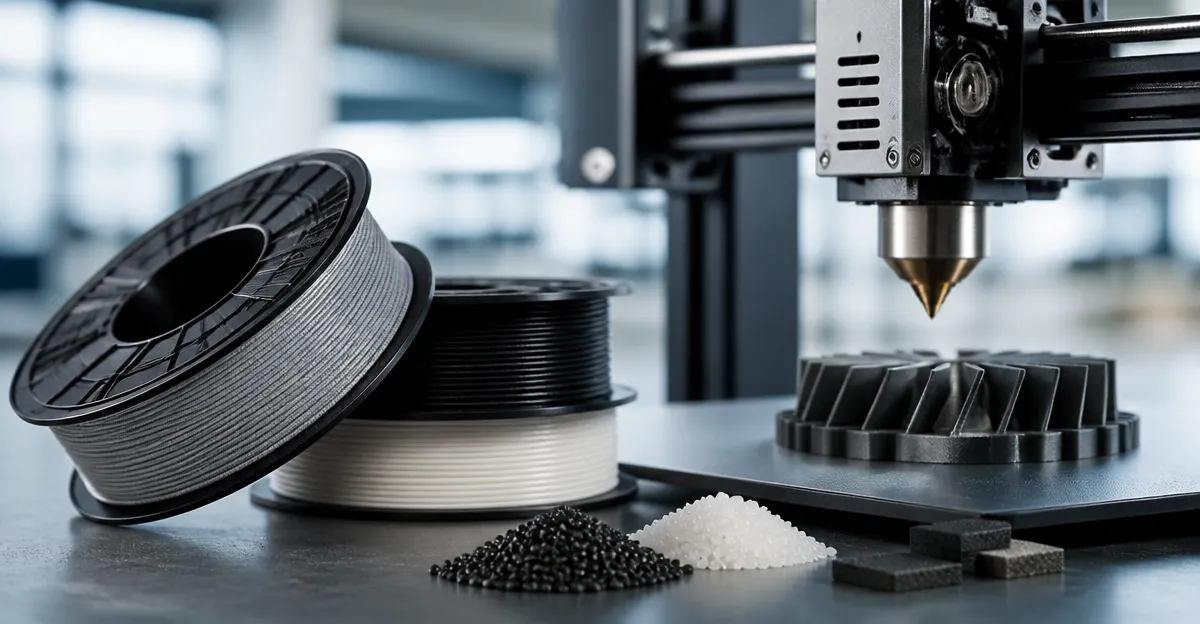
How to Prevent Nozzle Wear When Printing with Abrasive Composite Filaments: Essential Tips to Extend 3D Printer Nozzle Life
Introduction
One will discover how abrasive composite filaments such as carbon‑fiber, glass‑fiber and metal‑filled polymers can accelerate nozzle degradation. The guide explains why nozzle wear matters, outlines the tools that mitigate wear, and provides actionable steps that any intermediate user can follow. By following the recommendations, one can maintain dimensional accuracy, reduce print failures, and protect the investment in a 3D printer.
The information is presented in a professional tone, with clear headings, numbered steps and real‑world examples. Even readers who choose not to purchase the suggested tools will benefit from the underlying principles.
What You’ll Need
- Mudder Hardened Steel Nozzles – 10‑piece 0.4 mm MK8 set, $12.99, 4.4★ (2,182 reviews)
- DUROZZLE Prusa MK4 Tungsten Nozzle – 0.4 mm, $34.90, 4.6★ (34 reviews)
- DUROZZLE Flashforge AD5X Nozzle – 0.4 mm, $34.90, 4.6★ (34 reviews)
- DUROZZLE 0.6mm Tungsten Nozzle – 0.6 mm, $34.90, 4.4★ (40 reviews)
- DUROZZLE 0.4mm Tungsten Nozzle – 0.4 mm, $34.90, 4.4★ (40 reviews)
- Silicone heat‑sock compatible with your hotend (optional)
- Precision nozzle cleaning needle set
Step 1: Choose a Nozzle Material Designed for Abrasive Filaments
The first defensive measure is to replace a standard brass nozzle with a wear‑resistant alternative. Hardened steel and tungsten carbide nozzles provide the hardness required to withstand carbon‑fiber or glass‑fiber particles without rapid erosion.
For general purpose printers such as the Creality Ender series, the Mudder Hardened Steel Nozzles are an economical choice. They are made from tool steel, offering high abrasion resistance and a tolerance of ±0.02 mm, which ensures accurate extrusion. At $12.99 for a pack of ten, the price per nozzle is under $1.30, making it feasible to keep spares on hand.
For printers that support a Prusa‑style MK4 hotend, the DUROZZLE Prusa MK4 Tungsten Nozzle provides superior thermal conductivity—three times that of ruby—thanks to a nickel‑coated copper body. The tungsten carbide tip resists wear from carbon‑filled filaments and maintains a stable temperature profile, which is crucial for long prints.
When the printer model is a Flashforge AD5X, the DUROZZLE Flashforge AD5X Nozzle offers the same tungsten‑carbide benefits while matching the proprietary hotend geometry. The nickel coating also reduces material adhesion inside the nozzle, decreasing the likelihood of clogs.
Step 2: Match Nozzle Diameter to Desired Print Speed and Layer Height
Choosing the correct nozzle diameter balances extrusion force and surface finish. A 0.4 mm nozzle is versatile for most composite filaments, but when printing large parts with high‑fill composites, a 0.6 mm nozzle can reduce back‑pressure and extend nozzle life.
The DUROZZLE 0.6mm Tungsten Nozzle is compatible with E3D V6 hotends and Prusa MK3S, providing a larger aperture without sacrificing the tungsten‑carbide durability. The increased flow reduces shear forces on abrasive particles, which in turn lessens the abrasive impact on the nozzle interior.
If one prefers to remain with a 0.4 mm aperture while still gaining tungsten durability, the DUROZZLE 0.4mm Tungsten Nozzle supplies the same material properties in the smaller size, ensuring compatibility with fine‑detail prints.
Step 3: Optimize Temperature Settings for Composite Filaments
Abrasive filaments often contain fillers that increase thermal conductivity. Setting the hotend temperature slightly higher than the filament’s recommended range can improve melt flow and reduce the mechanical load on the nozzle tip.
When using a tungsten carbide nozzle, the thermal conductivity is three times higher than ruby, allowing the nozzle to reach the set temperature more quickly and maintain it with less fluctuation. For carbon‑fiber PLA, increase the temperature by 5–10 °C above the standard PLA setting. This adjustment prevents under‑extrusion that would otherwise force the filament to scrape the nozzle walls, accelerating wear.
Pairing the temperature increase with a silicone heat‑sock (optional) further stabilizes the hotend environment, especially on printers without an enclosed chamber.
Step 4: Calibrate Retraction and Print Speed to Minimize Abrasion
Excessive retraction speed can cause abrasive particles to grind against the nozzle interior during rapid direction changes. One should reduce retraction distance to the minimum required for stringing control, typically 0.8–1.0 mm for a 0.4 mm nozzle.
Printing at moderate speeds (30–50 mm/s) for composite filaments allows the melt to flow smoothly, reducing the mechanical stress on the nozzle tip. High speeds increase shear forces, which can polish away the hardened surface over time.
When using the larger 0.6 mm tungsten nozzle, one may safely increase print speed by 10–15 % because the larger bore reduces back‑pressure.
Step 5: Implement Regular Nozzle Maintenance
Even the toughest tungsten carbide nozzle benefits from periodic cleaning. After each print that uses a highly abrasive filament, one should perform a cold pull with nylon filament to extract residual particles.
A precision cleaning needle set can be used to gently clear the nozzle bore without damaging the tip. The Mudder hardened steel nozzle’s smooth inner wall (no burrs) makes it especially receptive to this method, as reported by users who observed zero clogging after regular maintenance.
For tungsten carbide nozzles, the funnel‑shaped tip design reduces dead‑zone accumulation, but a monthly cold pull remains advisable for long‑term reliability.
Tips & Pro Tips
- Store spare nozzles in a dust‑free container; the hardened steel set includes ten pieces, making it convenient to rotate nozzles before wear becomes noticeable.
- When printing metal‑filled filaments, consider a slower cooling fan speed to avoid rapid solidification that can cause filament to adhere to the nozzle interior.
- Use a filament dryer for hygroscopic composites; moisture can cause bubbling that erodes the nozzle surface.
- Document temperature and speed settings for each filament type; this reference reduces trial‑and‑error and protects the nozzle from unnecessary stress.
Troubleshooting
Problem: Frequent clogs after switching from PLA to carbon‑fiber filament.
Solution: Perform a cold pull with a high‑temperature nylon filament, then increase the hotend temperature by 5 °C. If clogs persist, replace the nozzle with a tungsten carbide version such as the DUROZZLE Prusa MK4 Tungsten Nozzle for superior abrasion resistance.
Problem: Inconsistent extrusion leading to under‑extrusion marks.
Solution: Verify that the nozzle diameter matches the slicer settings. Measure the nozzle opening with a caliper; the Mudder nozzle tolerance is less than 0.02 mm, ensuring accurate dimension.
Problem: Excessive stringing with PETG‑CF blends.
Solution: Reduce retraction distance and enable a slight increase in print temperature. A silicone heat‑sock can help maintain a stable temperature gradient, minimizing stringing.
Conclusion
By selecting a wear‑resistant nozzle, adjusting temperature and speed parameters, and performing routine maintenance, one can dramatically extend nozzle life when printing abrasive composite filaments. The recommended products—Mudder Hardened Steel Nozzles, DUROZZLE tungsten carbide variants, and optional accessories—provide reliable solutions that integrate seamlessly into existing workflows. Implementing the steps outlined in this guide will reduce downtime, lower material waste, and preserve the quality of every print.
Products Mentioned in This Guide
Frequently Asked Questions
Why do carbon‑fiber, glass‑fiber, and metal‑filled filaments cause faster nozzle wear?
These filaments contain hard particles that act like sandpaper, grinding away the nozzle material much faster than standard PLA or ABS.
What nozzle material is best for printing abrasive composite filaments?
Hardened steel or tungsten‑alloy nozzles are recommended because they resist abrasion far better than brass nozzles.
How often should I inspect or replace my nozzle when using abrasive filaments?
Check the nozzle for clogging or loss of dimensional accuracy every 10‑20 hours of printing and replace it if the inner diameter appears enlarged.
Can printing temperature affect nozzle wear with abrasive filaments?
Yes, printing at the lowest temperature that still yields good layer adhesion reduces thermal stress and slows wear on the nozzle surface.
Are there any slicer settings that help extend nozzle life when using abrasive filaments?
Lowering print speed, reducing retraction distance, and enabling a small nozzle wipe or prime line can lessen abrasive contact and prolong nozzle lifespan.